Impact WMS

Warehouse Management Support

Impact WMS provides warehouse management support to help businesses resolve software issues, improve system performance and keep warehouse operations running smoothly.

Warehouse Management Support - Confident Support Consultant

REMOTE SUPPORT

Partners of Impact WMS that are seeking interactive remote assistance (partner and Impact technical staff viewing the same system) may download a secure client for creating a temporary secure shared desktop session.

Below, you can download the secure assistance client from the Splashtop SOS download page.

The browser will download a file named SplashtopSOS.exe (size = 7,652 KB)

If the file doesn’t download automatically, you can select the correct version for your PC or device.


Warehouse Management Support - Splashtop Support

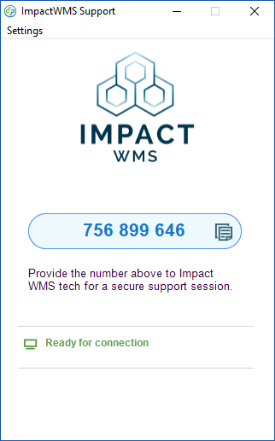
Once the download is complete, run the downloaded agent file. While the agent is connecting, the blue bar in the center will show a progress indicator and a series of dashes.

Once the agent has connected, the agent indicates a 9-digit connection key for the shared session.

Provide this 9-digit (in blue above) code to your Impact WMS technical support staff to begin a shared-desktop support session.